Track your streak
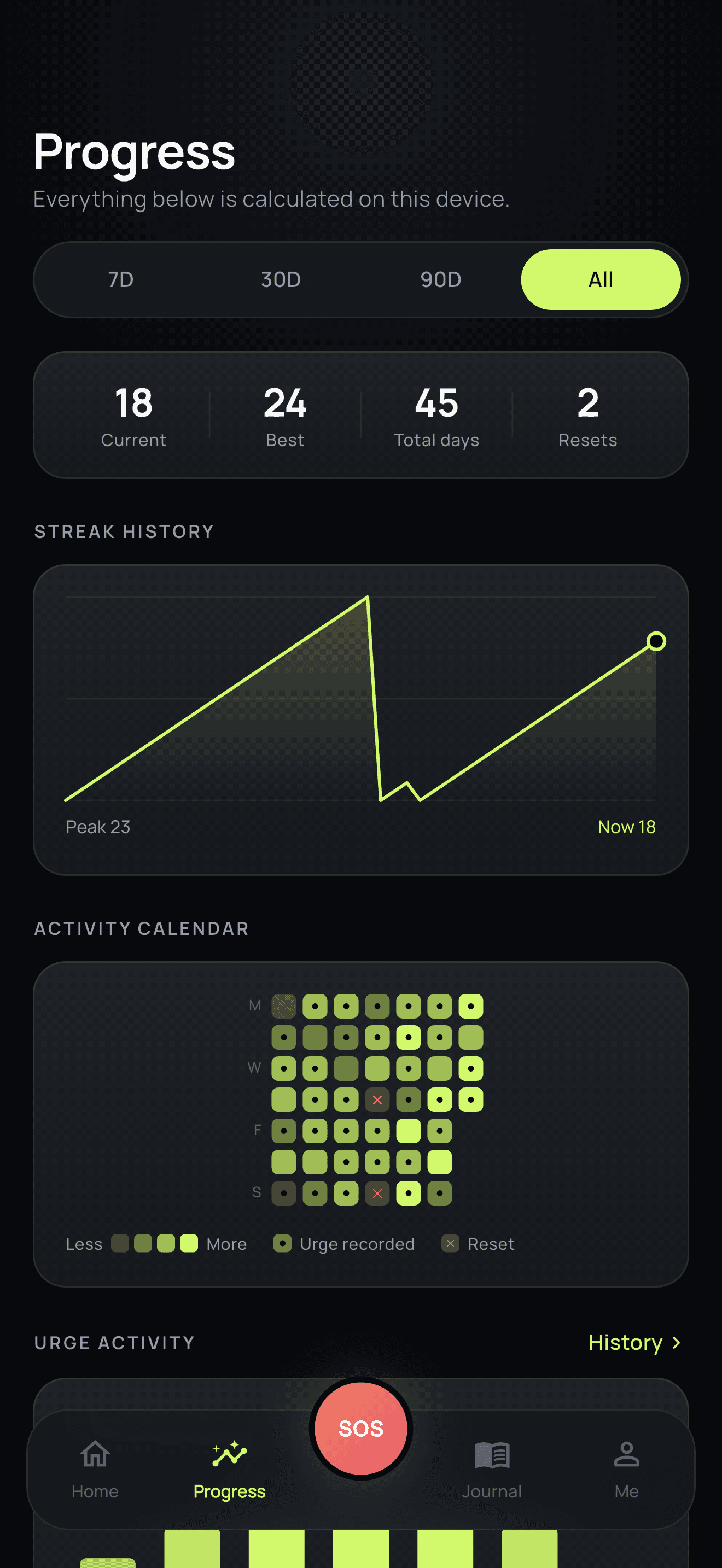
Track current streak, best streak, clean days, and milestones.
No account required — your data stays on your device
NoFlow helps you track your streak, manage urges, understand your triggers, and build healthier habits — one day at a time.
 Download on the App Store — store link coming soon
 Get it on Google Play — store link coming soon
Take back control. One day at a time.
Your streaks, journal entries, urges, and progress stay on your device.
Start immediately without signup.
Your personal progress stays on your device.
Private notifications and optional app lock.
A focused toolkit for the moments that matter — the daily check-in, the difficult evening, and the week you look back on.
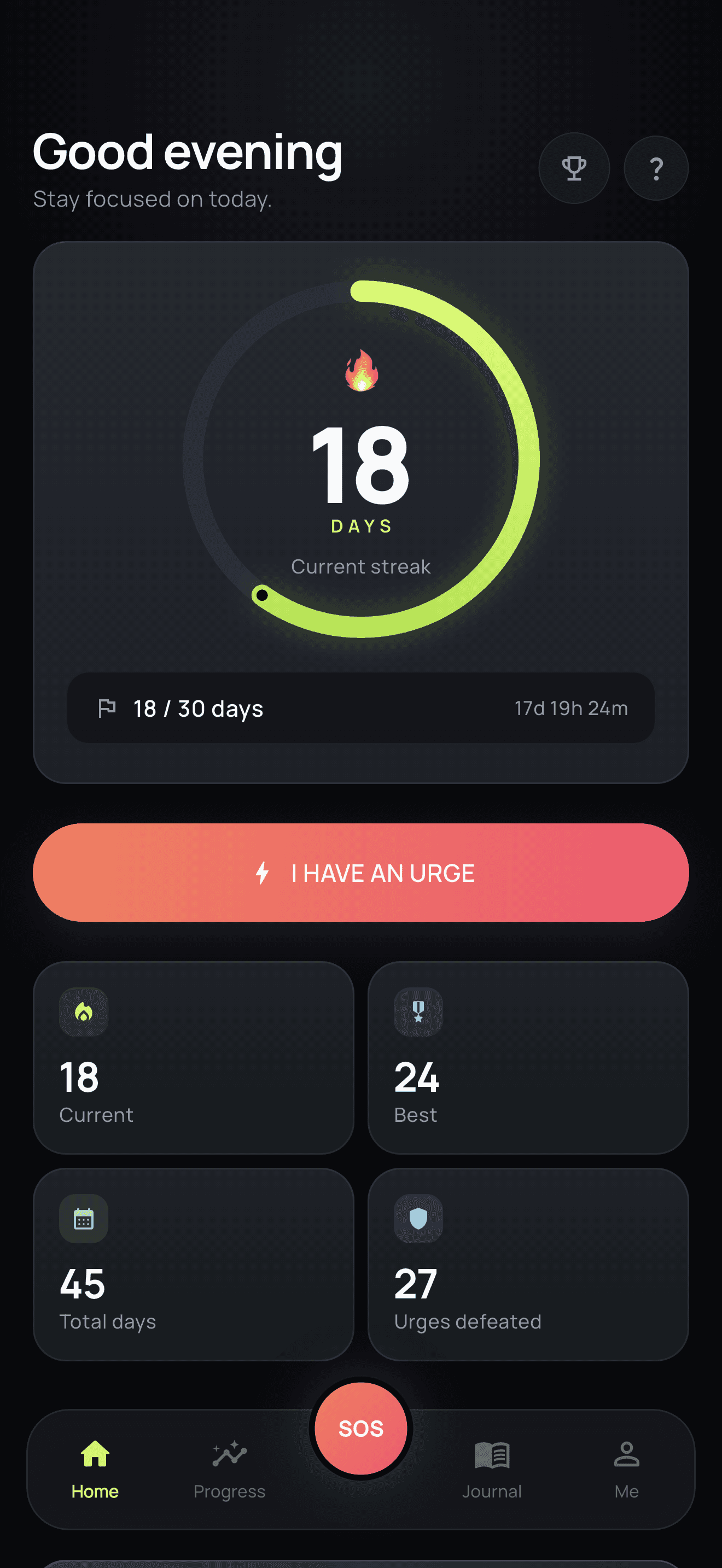
Track current streak, best streak, clean days, and milestones.
Use a quick guided reset when an urge hits.
Discover when and why urges happen.
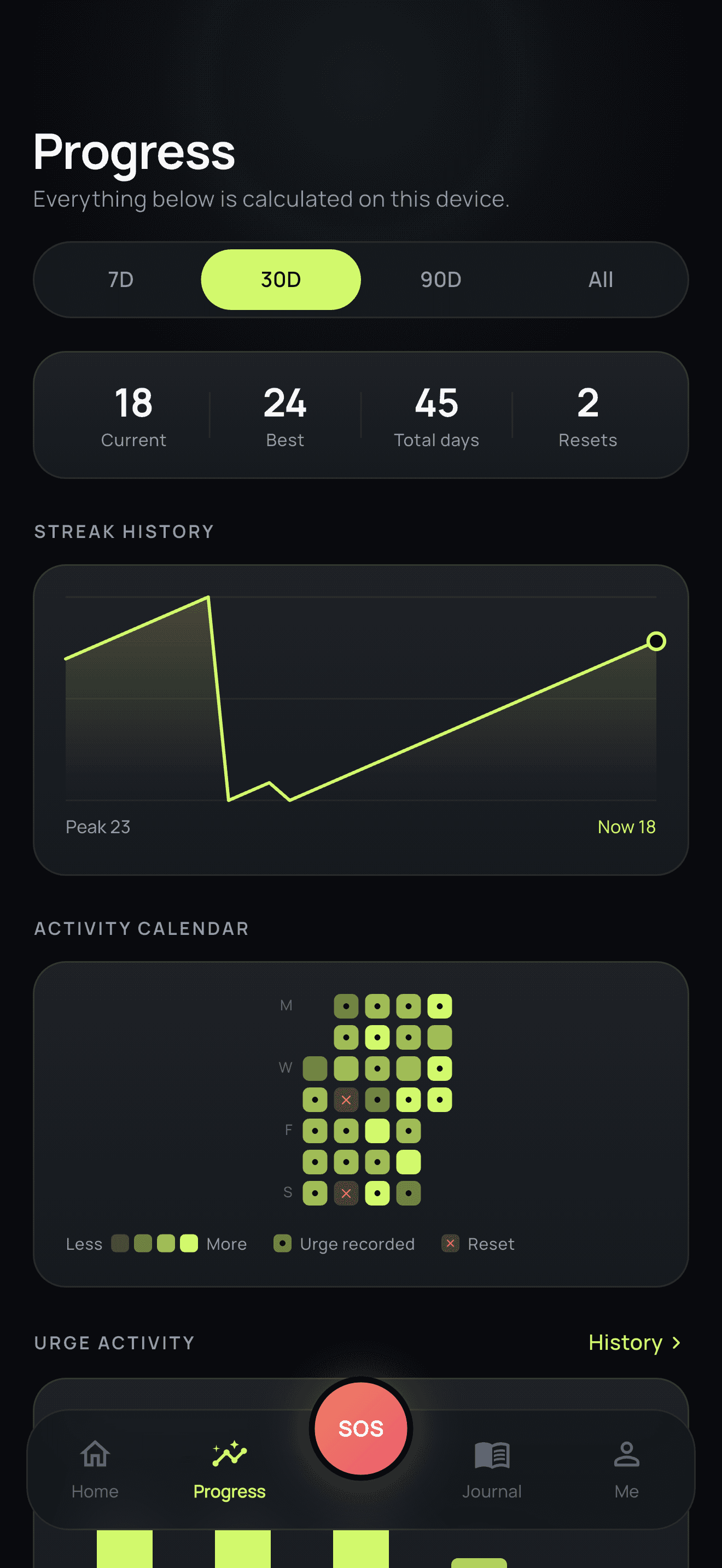
See streak history, activity calendar, and habit patterns.
Reflect on your progress privately.
Celebrate milestones and stay motivated.
Calm, focused screens that make the next right step obvious — even on a hard day.
Break the habit
Take back control.
Build your streak
One day at a time.

Overcome your urges
Know your triggers. Stay in control.
Track your progress
See how far you've come.

Know your triggers
Discover what drives your urges.

Understand your patterns
Turn your daily data into useful insights.

Reflect & grow
Keep your thoughts and progress private.

Celebrate every win
Reach milestones and keep moving forward.
Swipe to explore →
Four steps, repeated. No streak anxiety, no complicated setup.
Choose what you want to improve.
Build your streak and complete daily check-ins.
Open SOS during difficult moments.
Review triggers, mood, and progress.
NoFlow helps you understand the patterns behind your habits — including common triggers, urge timing, mood, streak history, and consistency.
Current streak
Days since your last reset
Best streak
Your personal record
Urges defeated
SOS sessions you completed
Total successful days
Every clean day, counted
SOS guides you through a short reset so you can pause, change your focus, and move forward.
Slow things down with a short guided breathing step.
Note what set the urge off while it is still fresh.
Get a simple suggestion to shift your attention elsewhere.
Ride out the moment with a countdown instead of a decision.
Close the session and log it as an urge you moved through.
NoFlow is a habit tracking and self-improvement tool. It does not provide medical diagnosis or treatment.
The product principles behind every screen in NoFlow.
Nothing about this should require handing over your identity. No account, no profile, no feed — the app works on your device, for you alone.
One clear number, one clear next action. Screens stay quiet so that opening the app on a hard day feels manageable rather than demanding.
A reset is data, not failure. History is kept so a difficult week reads as part of a longer trend instead of erasing everything you built.
NoFlow is designed to work without an account. Personal tracking data is stored locally on your device unless you choose to export it.
The things people most often want to know before they install.
You don't need to change everything at once. Start with one day.
Download on the App Store — store link coming soonGet it on Google Play — store link coming soon